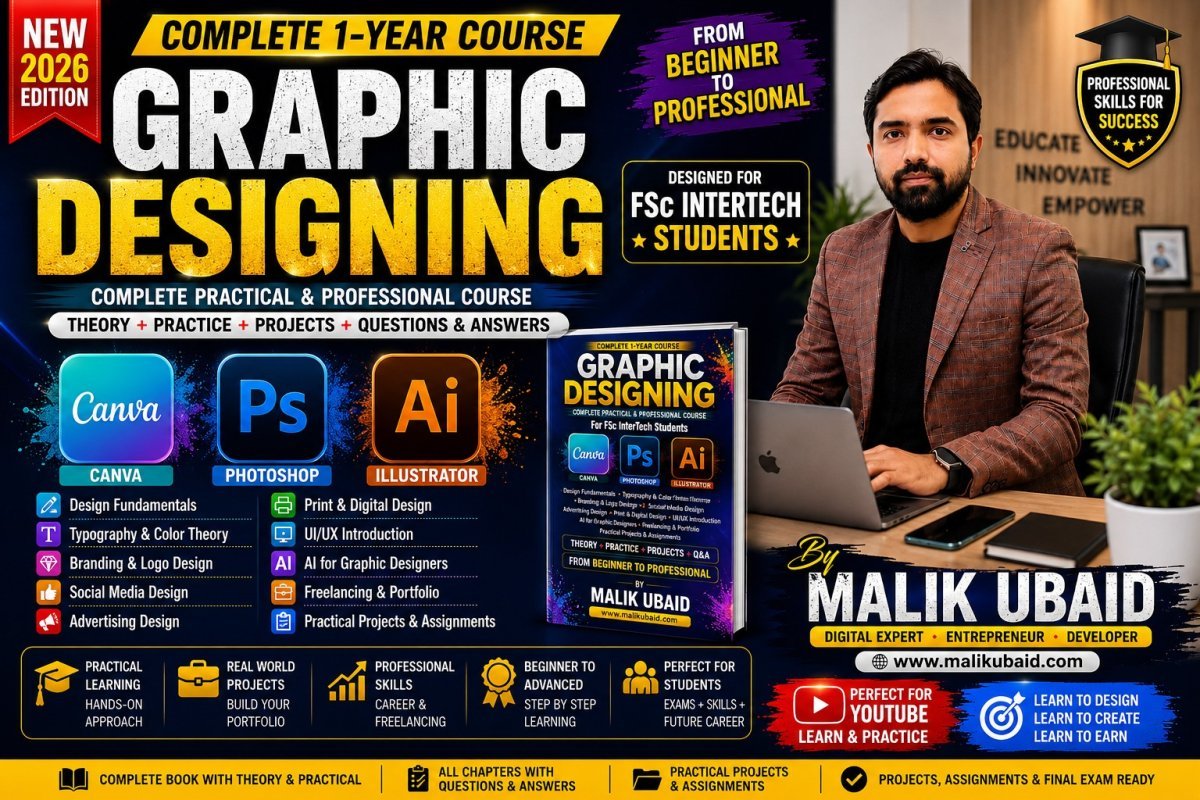
FSc INTER GRAPHIC DESIGNING
Complete One-Year Graphic Designing Course
Question & Answer Student Book
Main Software:
-
Canva
-
Adobe Photoshop
-
Adobe Illustrator
Additional Tools:
-
Adobe Express
-
Adobe Bridge
-
Google Fonts
-
Google Drive
-
Freepik
-
Unsplash
-
Pexels
-
Pixabay
-
Color Hunt
-
Adobe Color
-
Remove.bg
-
Photopea
-
Figma — Introduction
-
AI-assisted design tools
COURSE INTRODUCTION
Q1. What is Graphic Designing?
Answer:
Graphic designing is the process of communicating an idea, message, product, service or information through visual elements such as text, images, colors, shapes, icons and layouts.
A graphic designer combines creativity and technical skills to create visual content that communicates a message effectively.
Examples include:
-
Logos
-
Posters
-
Business cards
-
Flyers
-
Social media posts
-
YouTube thumbnails
-
Brochures
-
Banners
-
Advertisements
-
Product packaging
-
Website graphics
-
Presentations
-
Infographics
-
Invitations
Q2. Why is Graphic Designing important?
Answer:
Graphic designing is important because people understand visual information quickly.
A good design can:
-
Attract attention
-
Communicate information
-
Build a brand identity
-
Increase customer interest
-
Make a product look professional
-
Improve marketing
-
Make information easier to understand
Q3. Is Graphic Designing only about using Photoshop?
Answer:
No.
Photoshop is only one tool used by graphic designers.
A professional designer needs to understand:
-
Design principles
-
Typography
-
Color theory
-
Composition
-
Branding
-
Image editing
-
Vector graphics
-
Layout
-
Marketing
-
Communication
-
Creativity
Software is a tool. Design knowledge is the real skill.
Q4. What is the difference between a designer and someone who knows design software?
Answer:
A person who knows software can operate tools.
A designer knows:
-
What to create
-
Why to create it
-
Which colors to use
-
Which fonts to use
-
How to arrange elements
-
How to communicate the message
-
How to create visual hierarchy
Therefore:
Software skill + Design knowledge + Creativity = Graphic Designer
CHAPTER 1 — INTRODUCTION TO DESIGN
Q5. What is visual communication?
Answer:
Visual communication means communicating an idea or message through visual elements instead of only using written or spoken words.
Examples:
-
Traffic signs
-
Logos
-
Advertisements
-
Icons
-
Posters
-
Infographics
Q6. What are the basic elements of graphic design?
Answer:
The major elements are:
-
Line
-
Shape
-
Color
-
Texture
-
Space
-
Form
-
Typography
-
Image
Q7. What is a line?
Answer:
A line is a visual element created by connecting two or more points.
Lines can be:
-
Horizontal
-
Vertical
-
Diagonal
-
Curved
-
Zigzag
-
Thick
-
Thin
Lines can communicate different feelings.
For example:
Horizontal lines may communicate stability.
Diagonal lines may communicate movement.
Q8. What is a shape?
Answer:
A shape is a two-dimensional area surrounded by lines or boundaries.
Examples:
-
Circle
-
Square
-
Rectangle
-
Triangle
-
Star
Shapes can also be irregular or organic.
Q9. What is color?
Answer:
Color is a visual element that can create emotion, attention and meaning in a design.
For example:
-
Red can communicate energy or urgency.
-
Blue can communicate trust.
-
Green can communicate nature or growth.
-
Yellow can communicate happiness.
-
Black can communicate power or elegance.
Q10. What is space in graphic design?
Answer:
Space is the empty area between and around design elements.
Space is also called negative space or white space.
Good use of space makes a design easier to understand.
CHAPTER 2 — DESIGN PRINCIPLES
Q11. What are design principles?
Answer:
Design principles are guidelines that help designers arrange visual elements effectively.
Important principles include:
-
Balance
-
Contrast
-
Alignment
-
Proximity
-
Repetition
-
Hierarchy
-
Emphasis
-
White space
-
Unity
-
Rhythm
Q12. What is balance?
Answer:
Balance means distributing visual weight throughout a design.
There are three common types:
-
Symmetrical balance
-
Asymmetrical balance
-
Radial balance
Q13. What is contrast?
Answer:
Contrast means creating a noticeable difference between elements.
Contrast can be created using:
-
Color
-
Size
-
Shape
-
Font
-
Weight
-
Space
Example:
Black text on a white background has strong contrast.
Q14. What is alignment?
Answer:
Alignment means arranging elements so they appear visually connected and organized.
Good alignment makes a design look professional.
Q15. What is proximity?
Answer:
Proximity means placing related elements close together.
For example, a heading should normally be close to the paragraph that belongs to it.
Q16. What is repetition?
Answer:
Repetition means repeating design elements to create consistency.
Examples:
-
Same colors
-
Same font family
-
Same button style
-
Same icon style
Q17. What is visual hierarchy?
Answer:
Visual hierarchy is the arrangement of elements according to their importance.
For example:
-
Main heading
-
Supporting heading
-
Image
-
Description
-
Call-to-action
The most important information should attract attention first.
CHAPTER 3 — TYPOGRAPHY
Q18. What is typography?
Answer:
Typography is the art and technique of arranging text so that it is readable, attractive and effective.
Q19. What is a font?
Answer:
A font is a specific style of letters and characters.
Examples:
-
Arial
-
Helvetica
-
Poppins
-
Montserrat
-
Roboto
Q20. What is a font family?
Answer:
A font family is a group of related styles of a typeface.
For example:
Poppins Regular
Poppins Medium
Poppins SemiBold
Poppins Bold
Q21. What is serif typography?
Answer:
Serif fonts contain small decorative strokes at the ends of letters.
They are often used in:
-
Books
-
Newspapers
-
Editorial designs
-
Formal branding
Q22. What is sans-serif typography?
Answer:
Sans-serif fonts do not have decorative strokes.
They are commonly used for:
-
Websites
-
Mobile applications
-
Social media
-
Modern branding
Q23. What is font pairing?
Answer:
Font pairing means using two or more fonts that work well together.
For example:
Heading: Montserrat Bold
Body: Open Sans Regular
Q24. How many fonts should normally be used in one design?
Answer:
Beginners should normally use two or three font styles at most.
Using too many fonts can make a design look confusing and unprofessional.
CHAPTER 4 — COLOR THEORY
Q25. What is color theory?
Answer:
Color theory is the study of how colors interact and how they can be combined effectively.
Q26. What are primary colors?
Answer:
In the traditional RYB color model, primary colors are:
-
Red
-
Yellow
-
Blue
Q27. What are secondary colors?
Answer:
Secondary colors are created by mixing primary colors.
They include:
-
Orange
-
Green
-
Purple
Q28. What are warm colors?
Answer:
Warm colors generally include:
-
Red
-
Orange
-
Yellow
They can create feelings of energy, warmth and excitement.
Q29. What are cool colors?
Answer:
Cool colors generally include:
-
Blue
-
Green
-
Purple
They can create feelings of calmness, trust and freshness.
Q30. What is a color palette?
Answer:
A color palette is a selected group of colors used consistently in a design or brand.
Q31. What is RGB?
Answer:
RGB stands for:
Red, Green, Blue
It is mainly used for digital screens.
Examples:
-
Websites
-
Mobile applications
-
Social media
-
Digital advertisements
Q32. What is CMYK?
Answer:
CMYK stands for:
-
Cyan
-
Magenta
-
Yellow
-
Key/Black
It is mainly used for printing.
Q33. What is the difference between RGB and CMYK?
Answer:
RGB is mainly used for screens.
CMYK is mainly used for printing.
CHAPTER 5 — IMAGE BASICS
Q34. What is a pixel?
Answer:
A pixel is one of the smallest units of a digital image.
A digital photograph consists of many pixels.
Q35. What is image resolution?
Answer:
Resolution describes the amount of detail contained in an image.
Higher-resolution images generally contain more pixels and can provide more detail.
Q36. What is DPI?
Answer:
DPI means:
Dots Per Inch
It is commonly associated with print resolution.
Q37. What is PPI?
Answer:
PPI means:
Pixels Per Inch
It is commonly used when discussing digital image resolution.
Q38. What is a raster image?
Answer:
A raster image is made from pixels.
Examples:
-
JPG
-
PNG
-
GIF
-
TIFF
Photos are normally raster images.
Q39. What is a vector image?
Answer:
A vector image is created using mathematical paths, shapes and points rather than a fixed grid of pixels.
Vector graphics can generally be scaled to different sizes without losing their fundamental sharpness.
Examples include:
-
Logos
-
Icons
-
Illustrations
CHAPTER 6 — INTRODUCTION TO CANVA
Q40. What is Canva?
Answer:
Canva is an online graphic design platform that allows users to create visual content using templates, elements, images, text, shapes and other design resources.
Q41. Why should beginners learn Canva?
Answer:
Canva is beginner-friendly and allows students to quickly create practical designs.
Students can create:
-
Social media posts
-
Presentations
-
Posters
-
Flyers
-
Certificates
-
Invitations
-
YouTube thumbnails
-
Business cards
-
Brochures
-
Simple logos
Q42. Is Canva only for beginners?
Answer:
No.
Canva can also be used by professional marketers, businesses, educators and content creators.
However, professional designers should understand when Canva is appropriate and when advanced software such as Photoshop or Illustrator is more suitable.
Q43. What is a Canva template?
Answer:
A template is a pre-designed layout that can be customized.
Students can change:
-
Text
-
Images
-
Colors
-
Fonts
-
Shapes
-
Backgrounds
Q44. What are Canva elements?
Answer:
Elements are design objects available inside Canva.
Examples:
-
Shapes
-
Icons
-
Graphics
-
Lines
-
Stickers
-
Frames
Q45. What is a Canva frame?
Answer:
A frame is a container that can be used to place images into a specific shape or layout.
Q46. What is Canva Magic Resize or resizing?
Answer:
It refers to adapting a design to another size or format.
For example, a social media design can be adapted to another platform's dimensions.
Q47. What is a brand kit?
Answer:
A brand kit stores important brand assets such as:
-
Logos
-
Brand colors
-
Fonts
It helps maintain consistency.
CANVA PRACTICAL QUESTIONS
Q48. How do you create a simple social media post?
Answer:
-
Open Canva.
-
Select a suitable design size.
-
Choose a blank page or template.
-
Add a background.
-
Add an image.
-
Add a heading.
-
Add supporting text.
-
Adjust colors.
-
Align all elements.
-
Check spacing.
-
Export the final design.
Q49. How can you make a Canva design professional?
Answer:
Use:
-
Limited colors
-
Proper typography
-
Consistent alignment
-
Good spacing
-
High-quality images
-
Strong visual hierarchy
-
Clear messaging
-
Consistent branding
CHAPTER 7 — INTRODUCTION TO ADOBE PHOTOSHOP
Q50. What is Adobe Photoshop?
Answer:
Adobe Photoshop is a professional image-editing and design application.
It is widely used for:
-
Photo editing
-
Retouching
-
Compositing
-
Posters
-
Social media designs
-
Advertising graphics
-
Digital artwork
Adobe's current beginner resources emphasize concepts such as documents, layers, masks, text, selections, adjustments and object removal.
Q51. What is the Photoshop workspace?
Answer:
The Photoshop workspace contains the areas used for designing and editing.
Important parts include:
-
Menu bar
-
Tools panel
-
Document window
-
Options bar
-
Layers panel
-
Properties panel
-
Other panels
Q52. What is a Photoshop document?
Answer:
A Photoshop document is the working file in which images, text, shapes and other elements are edited.
The native Photoshop file format is:
PSD
Q53. What is a layer?
Answer:
A layer is an independent level in a Photoshop document.
Layers allow designers to edit elements separately.
For example:
Layer 1 — Background
Layer 2 — Photo
Layer 3 — Heading
Layer 4 — Logo
Q54. Why are layers important?
Answer:
Layers allow designers to work non-destructively and keep different design elements organized.
Adobe describes layers as fundamental building blocks of Photoshop design.
PHOTOSHOP TOOLS
Q55. What is the Move Tool?
Answer:
The Move Tool is used to move selected layers or objects.
Q56. What is the Marquee Tool?
Answer:
The Marquee Tool is used to create rectangular or elliptical selections.
Q57. What is the Lasso Tool?
Answer:
The Lasso Tool is used to create freehand selections.
Q58. What is the Quick Selection Tool?
Answer:
The Quick Selection Tool helps select areas based on image characteristics.
It can be useful when isolating a subject from a background.
Q59. What is the Crop Tool?
Answer:
The Crop Tool is used to remove unwanted areas and change the composition or dimensions of an image.
Q60. What is the Brush Tool?
Answer:
The Brush Tool is used to paint or draw on a layer.
Q61. What is the Eraser Tool?
Answer:
The Eraser Tool removes pixels from a raster layer.
Q62. What is the Text Tool?
Answer:
The Text Tool is used to add and edit text.
Q63. What is the Shape Tool?
Answer:
Shape tools are used to create geometric shapes such as:
-
Rectangle
-
Ellipse
-
Polygon
-
Line
-
Custom shapes
PHOTOSHOP SELECTIONS
Q64. What is a selection?
Answer:
A selection identifies a specific area of an image so that editing can be applied to that area.
Q65. Why are selections important?
Answer:
Selections allow designers to edit one area without unnecessarily affecting other areas.
Q66. What is Select Subject?
Answer:
Select Subject is a feature designed to help identify and select the main subject of an image.
PHOTOSHOP MASKS
Q67. What is a layer mask?
Answer:
A layer mask controls which parts of a layer are visible.
White generally reveals.
Black generally hides.
Gray can create partial transparency.
Q68. Why should designers use masks instead of deleting pixels?
Answer:
Masks allow flexible editing.
If something is hidden using a mask, it can generally be revealed again later.
This is called non-destructive editing.
PHOTOSHOP ADJUSTMENTS
Q69. What is an adjustment layer?
Answer:
An adjustment layer changes the appearance of an image without permanently changing the original image pixels.
Examples include:
-
Brightness/Contrast
-
Levels
-
Curves
-
Hue/Saturation
-
Color Balance
-
Black & White
-
Gradient Map
Q70. What is brightness?
Answer:
Brightness controls how light or dark an image appears.
Q71. What is contrast?
Answer:
Contrast controls the difference between lighter and darker areas.
Q72. What is saturation?
Answer:
Saturation controls the intensity of colors.
Q73. What is Hue?
Answer:
Hue refers to the basic color family, such as red, blue or green.
PHOTOSHOP RETOUCHING
Q74. What is photo retouching?
Answer:
Photo retouching means improving or correcting an image.
Examples:
-
Removing spots
-
Removing unwanted objects
-
Improving lighting
-
Correcting colors
-
Cleaning backgrounds
Q75. What is the Healing Brush?
Answer:
The Healing Brush helps remove imperfections while blending the corrected area with surrounding pixels.
Q76. What is the Clone Stamp Tool?
Answer:
The Clone Stamp Tool copies pixels from one area and paints them into another area.
It is useful for retouching and duplication.
PHOTOSHOP COMPOSITING
Q77. What is photo compositing?
Answer:
Photo compositing means combining multiple images or elements into one final composition.
Example:
A person photographed in one location can be placed into a different environment.
Q78. What skills are needed for realistic compositing?
Answer:
-
Selection
-
Masking
-
Lighting
-
Color matching
-
Perspective
-
Shadows
-
Blending
-
Scale
-
Texture
PHOTOSHOP PROJECTS
Students should complete:
Project 1
Simple quote poster.
Project 2
Social media advertisement.
Project 3
YouTube thumbnail.
Project 4
Photo retouching.
Project 5
Background removal.
Project 6
Product advertisement.
Project 7
Photo manipulation.
Project 8
Event poster.
Project 9
Restaurant advertisement.
Project 10
Professional advertising campaign.
CHAPTER 8 — INTRODUCTION TO ADOBE ILLUSTRATOR
Q79. What is Adobe Illustrator?
Answer:
Adobe Illustrator is a professional vector graphics application.
It is especially useful for:
-
Logos
-
Icons
-
Illustrations
-
Branding
-
Typography
-
Packaging
-
Vector artwork
Adobe's current Illustrator learning material covers shapes, color, text, drawing, logo design, artboards, typography, composition and grids.
Q80. What is vector graphics?
Answer:
Vector graphics are graphics created from mathematical paths, points and curves.
They can be resized to different dimensions while retaining their vector-based structure.
Q81. Why is Illustrator commonly used for logos?
Answer:
Logos often need to work at many sizes.
A logo may be printed on:
-
Business cards
-
Banners
-
Websites
-
Billboards
-
Packaging
-
T-shirts
Vector artwork is therefore highly useful for logos.
ILLUSTRATOR BASICS
Q82. What is an artboard?
Answer:
An artboard is the working area in Illustrator where artwork is created.
Q83. What is the Selection Tool?
Answer:
The Selection Tool is used to select, move and transform objects.
Q84. What is the Direct Selection Tool?
Answer:
The Direct Selection Tool allows designers to select and edit individual anchor points or parts of paths.
Q85. What is an anchor point?
Answer:
An anchor point is a point that defines the structure and shape of a vector path.
Q86. What is a path?
Answer:
A path is a vector line or shape made from anchor points and segments.
Q87. What is the Pen Tool?
Answer:
The Pen Tool is used to create precise vector paths and curves.
Q88. Why is the Pen Tool important?
Answer:
The Pen Tool is important for:
-
Logo creation
-
Custom shapes
-
Vector tracing
-
Illustration
-
Precise curves
-
Icon design
ILLUSTRATOR SHAPES
Q89. What are basic shapes?
Answer:
-
Rectangle
-
Ellipse
-
Polygon
-
Star
-
Line
These shapes can be combined to create more complex artwork.
Q90. What is Shape Builder?
Answer:
Shape Builder is a tool that allows designers to combine or remove parts of overlapping shapes.
Q91. What is Pathfinder?
Answer:
Pathfinder provides operations for combining, subtracting and dividing vector shapes.
ILLUSTRATOR TYPOGRAPHY
Q92. Can Illustrator be used for typography?
Answer:
Yes.
Illustrator is highly useful for:
-
Logo typography
-
Custom lettering
-
Posters
-
Headlines
-
Packaging
-
Branding
Q93. What is text outlining?
Answer:
Text outlining converts editable text into vector shapes.
This can be useful when creating custom lettering or preparing certain artwork, but designers should keep an editable text version before outlining.
LOGO DESIGN
Q94. What is a logo?
Answer:
A logo is a visual identity element used to represent a business, organization, product or brand.
Q95. What makes a good logo?
Answer:
A good logo should generally be:
-
Simple
-
Memorable
-
Relevant
-
Distinctive
-
Scalable
-
Legible
-
Appropriate for the brand
Q96. What is logo research?
Answer:
Logo research means understanding:
-
Business
-
Target audience
-
Competitors
-
Industry
-
Brand personality
-
Existing visual identity
before designing the logo.
BRANDING
Q97. What is branding?
Answer:
Branding is the process of creating and managing the identity and perception of a business, product or organization.
Q98. What is a brand identity?
Answer:
Brand identity is the collection of visual and communication elements used to represent a brand.
It can include:
-
Logo
-
Colors
-
Typography
-
Photography style
-
Icons
-
Graphics
-
Brand voice
Q99. What is a brand guideline?
Answer:
A brand guideline is a document explaining how a brand should be represented consistently.
It may contain:
-
Logo usage
-
Colors
-
Fonts
-
Spacing
-
Photography
-
Icon style
-
Social media examples
CHAPTER 9 — SOCIAL MEDIA DESIGN
Q100. What is social media graphic design?
Answer:
Social media graphic design is the creation of visual content specifically for social platforms.
Examples:
-
Facebook posts
-
Instagram posts
-
Instagram Stories
-
YouTube thumbnails
-
LinkedIn graphics
-
TikTok covers
-
Promotional advertisements
Q101. What makes a good social media post?
Answer:
A good post should have:
-
Clear message
-
Strong headline
-
Attractive visual
-
Good contrast
-
Proper spacing
-
Brand identity
-
Call-to-action
Q102. What is a call-to-action?
Answer:
A call-to-action tells the audience what to do next.
Examples:
-
Buy Now
-
Contact Us
-
Learn More
-
Register Today
-
Call Now
-
Visit Website
CHAPTER 10 — ADVERTISEMENT DESIGN
Q103. What is an advertisement?
Answer:
An advertisement is a message created to promote a product, service, organization, event or idea.
Q104. What are the major components of an advertisement?
Answer:
-
Headline
-
Main visual
-
Supporting information
-
Offer
-
Brand/logo
-
Call-to-action
-
Contact information
Q105. What is a headline?
Answer:
A headline is the main text designed to attract attention.
Q106. What makes a strong headline?
Answer:
A strong headline is:
-
Short
-
Clear
-
Relevant
-
Interesting
-
Easy to understand
CHAPTER 11 — PRINT DESIGN
Q107. What is print design?
Answer:
Print design is designing content intended to be physically printed.
Examples:
-
Business cards
-
Flyers
-
Brochures
-
Posters
-
Certificates
-
Menus
-
Letterheads
-
Packaging
Q108. What is bleed?
Answer:
Bleed is extra artwork extending beyond the final trim area of a printed document.
It helps prevent unwanted white edges after trimming.
Q109. What is a business card?
Answer:
A business card is a small printed card containing professional contact and identity information.
Q110. What information can appear on a business card?
Answer:
-
Name
-
Job title
-
Company
-
Phone
-
Email
-
Website
-
Address
-
Social media
-
Logo
CHAPTER 12 — FILE FORMATS
Q111. What is JPG?
Answer:
JPG/JPEG is a compressed raster image format commonly used for photographs and digital images.
Q112. What is PNG?
Answer:
PNG is a raster image format that supports transparency.
It is useful for:
-
Logos
-
Icons
-
Graphics
-
Transparent images
Q113. What is SVG?
Answer:
SVG means:
Scalable Vector Graphics
It is a vector-based format commonly used for web graphics and icons.
Q114. What is PDF?
Answer:
PDF stands for Portable Document Format.
It is commonly used to share documents and prepare certain designs for printing.
Q115. What is PSD?
Answer:
PSD is Photoshop's native editable document format.
Q116. What is AI file?
Answer:
AI is Adobe Illustrator's native document format.
CHAPTER 13 — DESIGN FOR WEB
Q117. What is web graphic design?
Answer:
Web graphic design involves creating visual elements for websites and digital interfaces.
Examples:
-
Website banners
-
Hero graphics
-
Icons
-
Buttons
-
Promotional graphics
-
Blog images
-
Infographics
Q118. Why should web images be optimized?
Answer:
Large images can increase page loading time.
Optimized images help improve:
-
Website speed
-
User experience
-
Mobile performance
CHAPTER 14 — BASIC UI/UX
Q119. What is UI?
Answer:
UI stands for:
User Interface
It refers to the visual interface through which a user interacts with a digital product.
Q120. What is UX?
Answer:
UX stands for:
User Experience
It refers to the overall experience a person has while using a product or service.
Q121. What is the difference between UI and UX?
Answer:
UI focuses heavily on the interface and visual interaction.
UX focuses on the overall user experience and usability.
CHAPTER 15 — FIGMA INTRODUCTION
Q122. What is Figma?
Answer:
Figma is a collaborative design tool commonly used for interface design, prototypes and digital product design.
Q123. Why should a graphic designer learn basic Figma?
Answer:
Because modern designers often work with:
-
Websites
-
Apps
-
Digital products
-
UI designs
-
Design systems
Basic Figma knowledge can make a graphic designer more versatile.
CHAPTER 16 — DESIGN RESOURCES
Q124. What is Google Fonts?
Answer:
Google Fonts is a collection of fonts that can be used in many design and web projects according to their respective licenses.
Q125. What is Freepik?
Answer:
Freepik is a platform providing various design resources such as vectors, illustrations, photos and templates.
Students must always check the licensing requirements before using resources commercially.
Q126. What is Unsplash?
Answer:
Unsplash provides a large collection of photographs. Designers should still review the applicable license and terms for intended use.
Q127. What is Pexels?
Answer:
Pexels provides stock photographs and videos. Designers should understand the applicable licensing terms before commercial use.
CHAPTER 17 — DESIGN COPYRIGHT
Q128. What is copyright?
Answer:
Copyright is a legal protection for original creative works.
Q129. Can a designer simply download any image from Google and use it commercially?
Answer:
No.
Finding an image through Google does not automatically mean that the image is free to use.
Designers should use:
-
Their own images
-
Properly licensed stock
-
Public-domain resources where applicable
-
Resources whose license permits the intended use
Q130. Why is copyright knowledge important for designers?
Answer:
Because designers frequently use:
-
Images
-
Fonts
-
Icons
-
Illustrations
-
Music
-
Templates
Using copyrighted material without permission can create legal and professional problems.
CHAPTER 18 — DESIGN PROCESS
Q131. What is the graphic design process?
Answer:
A basic professional process is:
-
Understand the brief.
-
Research.
-
Identify the audience.
-
Create ideas.
-
Make sketches.
-
Select a concept.
-
Create the design.
-
Review.
-
Revise.
-
Export.
-
Deliver.
Q132. What is a design brief?
Answer:
A design brief is a document or set of instructions explaining what needs to be designed.
Q133. What information should a design brief contain?
Answer:
-
Client/business name
-
Project objective
-
Target audience
-
Required size
-
Content
-
Brand colors
-
Deadline
-
Required format
-
References
-
Call-to-action
CHAPTER 19 — CREATIVE THINKING
Q134. What is creativity?
Answer:
Creativity is the ability to generate useful and original ideas.
Q135. Can creativity be learned?
Answer:
Yes.
Creativity can be developed through:
-
Practice
-
Observation
-
Research
-
Experimentation
-
Sketching
-
Studying designs
-
Trying different solutions
Q136. What is brainstorming?
Answer:
Brainstorming is the process of generating multiple ideas before selecting the strongest one.
Q137. Why should designers create multiple concepts?
Answer:
Because the first idea is not always the best idea.
Multiple concepts allow designers to compare different solutions.
CHAPTER 20 — DESIGN CRITIQUE
Q138. What is design critique?
Answer:
Design critique is the process of reviewing a design and identifying its strengths and weaknesses.
Q139. What questions should a designer ask when reviewing a design?
Answer:
-
Is the message clear?
-
Is the text readable?
-
Is the hierarchy strong?
-
Are the colors appropriate?
-
Is the alignment correct?
-
Is there enough spacing?
-
Is the design suitable for the target audience?
-
Does the design achieve its purpose?
CHAPTER 21 — CLIENT COMMUNICATION
Q140. Why is communication important for graphic designers?
Answer:
A designer must understand what the client actually needs.
Good communication reduces:
-
Mistakes
-
Revisions
-
Delays
-
Misunderstandings
Q141. What questions should a designer ask a client?
Answer:
-
What is the purpose of the design?
-
Who is the target audience?
-
What size is required?
-
Where will it be used?
-
What text should be included?
-
Are there brand colors?
-
Is there a logo?
-
Are there reference designs?
-
What is the deadline?
-
What file format is required?
CHAPTER 22 — FREELANCING
Q142. What is freelancing?
Answer:
Freelancing means providing professional services to clients without necessarily being a permanent employee of one organization.
Q143. Can graphic designers work as freelancers?
Answer:
Yes.
Graphic designers can provide services such as:
-
Logo design
-
Social media design
-
Thumbnail design
-
Branding
-
Poster design
-
Flyer design
-
Packaging design
-
Presentation design
Q144. What is a portfolio?
Answer:
A portfolio is a collection of a designer's best work.
Q145. Why is a portfolio important?
Answer:
Clients usually want to see evidence of a designer's skills before hiring them.
A strong portfolio can demonstrate:
-
Creativity
-
Technical ability
-
Design thinking
-
Consistency
-
Professionalism
CHAPTER 23 — AI AND GRAPHIC DESIGN
Q146. How is AI changing graphic design?
Answer:
AI can assist designers with:
-
Idea generation
-
Image generation
-
Background removal
-
Image expansion
-
Content variations
-
Concept development
-
Copywriting assistance
-
Workflow automation
Q147. Will AI completely replace graphic designers?
Answer:
AI can automate some tasks, but professional design still requires:
-
Understanding clients
-
Creative direction
-
Brand strategy
-
Design judgment
-
Communication
-
Human decision-making
Students should learn to use AI as a tool rather than depend on it completely.
Q148. What is responsible AI usage in design?
Answer:
Responsible AI usage means:
-
Checking generated content
-
Respecting copyright
-
Avoiding misleading designs
-
Checking facts
-
Maintaining originality
-
Understanding tool terms and licenses
CHAPTER 24 — PROFESSIONAL DESIGN WORKFLOW
Q149. What should a professional designer do before opening Photoshop?
Answer:
First understand:
-
What needs to be designed
-
Why it is being designed
-
Who will see it
-
Where it will be used
-
What message needs to be communicated
Q150. Should a designer immediately start designing?
Answer:
No.
A professional designer should first:
Research → Plan → Sketch → Design → Review → Revise → Export
ONE-YEAR COURSE STRUCTURE
TERM 1 — FOUNDATIONS
Month 1 — Introduction to Graphic Design
Topics:
-
What is graphic design?
-
History of graphic design
-
Graphic designer's role
-
Design elements
-
Design principles
-
Visual communication
-
Creativity
-
Observation
-
Basic composition
Practical Work
-
Line composition
-
Shape composition
-
Black-and-white composition
-
Simple poster
-
Quote design
Month 2 — Typography & Color
Topics:
-
Typography
-
Fonts
-
Font families
-
Serif
-
Sans-serif
-
Font pairing
-
Color theory
-
RGB
-
CMYK
-
Color palettes
-
Contrast
Practical Work
-
Typography poster
-
Font pairing exercise
-
Color wheel
-
Brand color palette
-
Quote poster
Month 3 — Canva
Topics:
-
Canva interface
-
Templates
-
Elements
-
Images
-
Text
-
Shapes
-
Frames
-
Backgrounds
-
Brand identity
-
Social media designs
-
Presentation designs
Practical Work
-
Facebook post
-
Instagram post
-
Instagram story
-
YouTube thumbnail
-
Business flyer
-
Certificate
-
Invitation
-
Presentation
Month 4 — Canva Advanced
Topics:
-
Layout
-
Branding
-
Consistency
-
Social media campaigns
-
Templates
-
Mockups
-
Multiple design sizes
-
Professional presentations
-
Infographics
Final Canva Project
Create a complete social media campaign for a fictional business.
Deliver:
-
5 social posts
-
3 stories
-
1 promotional poster
-
1 advertisement
-
1 cover/banner
TERM 2 — ADOBE PHOTOSHOP
Month 5 — Photoshop Fundamentals
Topics:
-
Workspace
-
New document
-
Canvas
-
Layers
-
Selection
-
Move
-
Crop
-
Text
-
Shapes
-
Brush
-
Eraser
-
Save
-
Export
Practical Projects
-
Simple poster
-
Quote design
-
Social media advertisement
-
Event poster
Month 6 — Photoshop Photo Editing
Topics:
-
Crop
-
Resize
-
Brightness
-
Contrast
-
Hue
-
Saturation
-
Levels
-
Curves
-
Color correction
-
Retouching
-
Healing
-
Clone Stamp
Practical Projects
-
Portrait correction
-
Old photo improvement
-
Product photo editing
-
Color correction
-
Retouching project
Month 7 — Photoshop Advanced
Topics:
-
Layer masks
-
Selections
-
Background removal
-
Smart Objects
-
Blending modes
-
Adjustment layers
-
Shadows
-
Filters
-
Compositing
-
Photo manipulation
Practical Projects
-
Background replacement
-
Product advertisement
-
Double exposure
-
Movie poster
-
Creative manipulation
Adobe's current Photoshop learning paths also cover selections, masking, adjustments, resizing, design effects and generative AI workflows.
Month 8 — Photoshop Professional Projects
Students create:
-
Restaurant advertisement
-
Real estate advertisement
-
Educational institute advertisement
-
Product advertisement
-
Event poster
-
Social media campaign
-
YouTube thumbnail series
-
Promotional banner
TERM 3 — ADOBE ILLUSTRATOR
Month 9 — Illustrator Fundamentals
Topics:
-
Illustrator workspace
-
Artboards
-
Shapes
-
Selection
-
Direct Selection
-
Fill
-
Stroke
-
Layers
-
Align
-
Transform
-
Group
-
Arrange
Adobe's beginner Illustrator material specifically introduces the workspace, new documents, saving, shapes, selection and core vector concepts.
Month 10 — Illustrator Vector Design
Topics:
-
Pen Tool
-
Anchor points
-
Paths
-
Curves
-
Pencil Tool
-
Shape Builder
-
Pathfinder
-
Gradient
-
Patterns
-
Brushes
-
Vector tracing
Adobe's current drawing tutorial explains paths as structures built from anchor points and segments and covers Pencil, Curvature and path-editing tools.
Practical Projects
-
Simple icon
-
Vector flower
-
Vector character
-
Illustration
-
Custom icon set
-
Vector poster
Month 11 — Logo & Branding
Topics:
-
Logo research
-
Logo concepts
-
Sketching
-
Typography logo
-
Symbol logo
-
Combination logo
-
Monogram
-
Negative space
-
Brand colors
-
Brand typography
-
Brand guidelines
Practical Projects
-
Restaurant logo
-
Clothing brand logo
-
Technology company logo
-
Education brand logo
-
Personal brand logo
Month 12 — Professional Portfolio & Final Project
Students complete a complete branding project.
Final Project
Create a fictional company.
Students must design:
-
Company name
-
Logo
-
Logo variations
-
Color palette
-
Typography
-
Business card
-
Letterhead
-
Social media profile
-
Social media post
-
Advertisement
-
Poster
-
Flyer
-
Brand guideline
-
Portfolio presentation
FINAL EXAMINATION
THEORY SECTION
Students should be able to answer:
-
What is graphic design?
-
What are design elements?
-
What are design principles?
-
What is typography?
-
What is color theory?
-
What is RGB?
-
What is CMYK?
-
What is raster graphics?
-
What is vector graphics?
-
What is Canva?
-
What is Photoshop?
-
What is Illustrator?
-
What is a layer?
-
What is a mask?
-
What is a selection?
-
What is a vector path?
-
What is an anchor point?
-
What is the Pen Tool?
-
What is branding?
-
What is a logo?
-
What is a portfolio?
-
What is copyright?
-
What is freelancing?
-
What is UI?
-
What is UX?
PRACTICAL EXAM
Task 1 — Canva
Create a professional advertisement for an educational institute.
Requirements:
-
Heading
-
Image
-
Logo
-
Contact information
-
Call-to-action
-
Proper typography
-
Color palette
-
Alignment
Task 2 — Photoshop
Create a promotional advertisement by combining:
-
Product
-
Background
-
Text
-
Logo
-
Shadows
-
Color adjustments
Task 3 — Illustrator
Create a professional vector logo.
Requirements:
-
Concept
-
Sketch
-
Vector artwork
-
Typography
-
Color palette
-
Black-and-white version
-
Exported versions
DESIGNER'S DAILY PRACTICE
Every student should practice regularly.
Daily Exercise
10 minutes: Observe professional designs.
15 minutes: Study typography.
15 minutes: Study colors.
20 minutes: Recreate a simple design for practice.
20 minutes: Create something original.
10 minutes: Review the work.
50 PRACTICAL DESIGN CHALLENGES
-
Quote poster
-
Motivational poster
-
Restaurant post
-
Clothing advertisement
-
Mobile phone advertisement
-
Laptop advertisement
-
School advertisement
-
College advertisement
-
University advertisement
-
Real estate post
-
Property advertisement
-
Travel advertisement
-
Tour package
-
Food menu
-
Business card
-
Letterhead
-
Certificate
-
Wedding invitation
-
Birthday invitation
-
YouTube thumbnail
-
Facebook cover
-
Instagram post
-
Instagram story
-
Product poster
-
Sale banner
-
Event poster
-
Movie poster
-
Sports poster
-
Political-style fictional campaign
-
Public awareness poster
-
Logo
-
Icon
-
Mascot
-
Character illustration
-
Vector illustration
-
Infographic
-
Brochure
-
Flyer
-
Restaurant menu
-
Product packaging
-
Brand identity
-
Social media campaign
-
Website banner
-
App promotional graphic
-
E-commerce banner
-
Email banner
-
Business presentation
-
Portfolio
-
Complete branding project
-
Final client simulation project
30 SHORT QUESTIONS FOR REVISION
Q1. What is graphic design?
Answer: Visual communication using design elements.
Q2. What is typography?
Answer: The art of arranging text effectively.
Q3. What is RGB?
Answer: Red, Green and Blue color model used mainly for digital displays.
Q4. What is CMYK?
Answer: Cyan, Magenta, Yellow and Key/Black color model commonly used for printing.
Q5. What is a raster image?
Answer: An image made from pixels.
Q6. What is vector graphics?
Answer: Graphics created from mathematical paths and shapes.
Q7. What is Photoshop?
Answer: A professional application for image editing and digital design.
Q8. What is Illustrator?
Answer: A professional application for vector graphics and illustration.
Q9. What is Canva?
Answer: A design platform that helps users create visual content.
Q10. What is a layer?
Answer: An independent level containing design elements.
Q11. What is a mask?
Answer: A method for controlling the visibility of parts of a layer.
Q12. What is the Pen Tool?
Answer: A tool used to create precise vector paths.
Q13. What is a logo?
Answer: A visual identity mark representing a brand.
Q14. What is branding?
Answer: The process of creating and managing a brand identity and perception.
Q15. What is a portfolio?
Answer: A collection of a designer's best work.
Q16. What is contrast?
Answer: Difference between design elements used to create visual distinction.
Q17. What is alignment?
Answer: Organizing elements along visual lines.
Q18. What is hierarchy?
Answer: Arranging elements according to importance.
Q19. What is white space?
Answer: Empty space around design elements.
Q20. What is a design brief?
Answer: A document describing the requirements of a design project.
Q21. What is retouching?
Answer: Improving or correcting an image.
Q22. What is compositing?
Answer: Combining multiple visual elements into one composition.
Q23. What is a font?
Answer: A specific style of text characters.
Q24. What is a color palette?
Answer: A selected group of colors used in a design.
Q25. What is a template?
Answer: A pre-designed layout that can be customized.
Q26. What is freelancing?
Answer: Providing services independently to clients.
Q27. What is UI?
Answer: User Interface.
Q28. What is UX?
Answer: User Experience.
Q29. What is copyright?
Answer: Legal protection for original creative works.
Q30. What is creativity?
Answer: The ability to generate useful and original ideas.
IMPORTANT RULES FOR STUDENTS
Rule 1
Do not become dependent on templates.
Learn to create your own designs.
Rule 2
Do not use 10 different fonts in one design.
Rule 3
Do not use colors randomly.
Rule 4
Do not copy another designer's work and claim it as your own.
Rule 5
Always check spelling before delivering a design.
Rule 6
Always keep editable source files.
Rule 7
Always organize layers.
Rule 8
Always keep backup copies.
Rule 9
Understand the final use of the design before choosing dimensions.
Rule 10
Never stop practicing.
THE PROFESSIONAL DESIGNER FORMULA
A successful designer should develop five abilities:
1. DESIGN KNOWLEDGE
Understand:
-
Typography
-
Color
-
Layout
-
Composition
-
Branding
2. SOFTWARE SKILLS
Learn:
-
Canva
-
Photoshop
-
Illustrator
-
Basic Figma
3. CREATIVE THINKING
Learn:
-
Brainstorming
-
Research
-
Concept development
-
Problem solving
4. COMMUNICATION
Learn:
-
Client communication
-
Understanding requirements
-
Presenting concepts
-
Receiving feedback
5. BUSINESS SKILLS
Learn:
-
Portfolio development
-
Freelancing
-
Pricing
-
Proposal writing
-
Client management
-
Personal branding
CAREER OPTIONS AFTER COMPLETING THIS COURSE
After completing this one-year course, students can explore careers such as:
-
Graphic Designer
-
Canva Designer
-
Photoshop Designer
-
Illustrator Designer
-
Social Media Designer
-
Logo Designer
-
Branding Designer
-
Advertisement Designer
-
Thumbnail Designer
-
Print Designer
-
Digital Marketing Designer
-
UI Design Beginner
-
Freelance Designer
-
Content Creator
-
Creative Assistant
FINAL MESSAGE FOR STUDENTS
Graphic designing is not about learning where every button is located in Photoshop, Canva or Illustrator.
Software changes.
Tools change.
AI changes.
Design principles remain important.
A successful designer learns to think, observe, communicate, create and solve problems visually.
Do not try to become a designer in one day.
Start with simple designs.
Make mistakes.
Study professional designs.
Recreate designs for practice.
Create your own concepts.
Ask for feedback.
Improve every day.
Your goal should not be:
"I know Photoshop."
Your goal should be:
"I can understand a problem and solve it through professional visual communication."
That is what makes you a Graphic Designer.
Comments
Comments (0)
Security Check
Please complete the captcha to verify you are human.